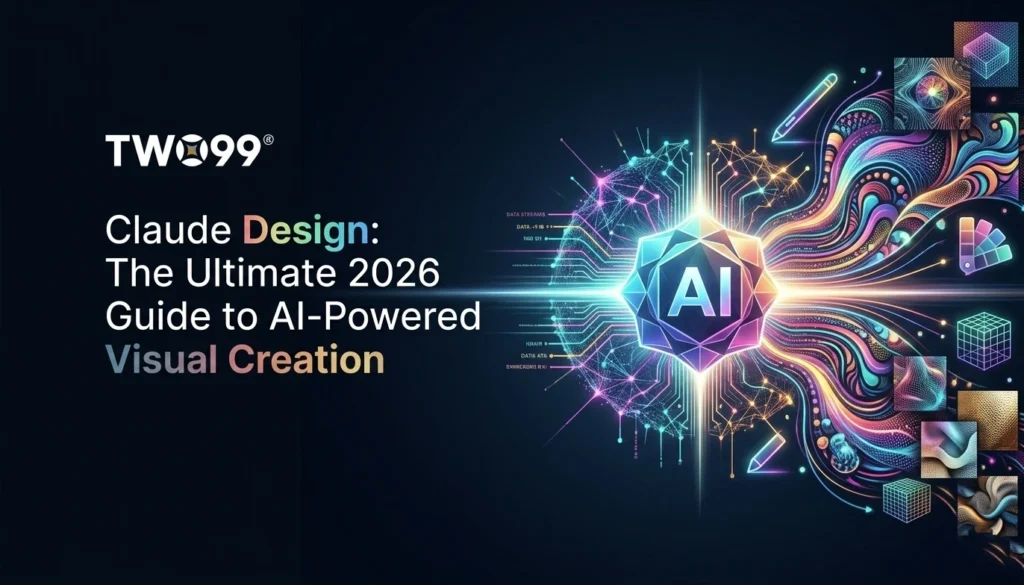
Claude Design is Anthropic’s game-changing AI tool that generates interactive prototypes, animated videos, pitch decks, landing pages, mobile apps, and design systems from simple text prompts. Launched April 17, 2026, via Anthropic Labs, Claude Design uses Claude Opus 4.7 to turn ideas into editable visuals, competing with Figma, Canva, and PowerPoint – all in a conversational canvas.
What Exactly Is Claude Design?
Claude Design features a chat-canvas split: describe on the left, watch prototypes build on the right. It auto-extracts design systems from screenshots, codebases, Figma files, or websites, ensuring Claude Design outputs match your brand’s colors, fonts, and components. Everything is SVG-based code under the hood, enabling precise tweaks via sliders, inline comments, or chat.
From creatorconomy.so’s top-ranking guide, Claude Design shines in real demos: animated videos from posts, pro slide decks, one-shot landing pages, 3D effects like rotating globes, mobile fitness apps with playtesting, and Apple-inspired “Liquid Glass” systems – all in minutes. Export to PPTX, Canva, Google Slides, PDF, HTML, or handoff to Claude Code for deployment.
Claude Design is Anthropic’s game-changing AI tool that generates interactive prototypes, animated videos, pitch decks, landing pages, mobile apps, and design systems from simple text prompts. Launched April 17, 2026, via Anthropic Labs, Claude Design uses Claude Opus 4.7 to turn ideas into editable visuals, competing with Figma, Canva, and PowerPoint – all in a conversational canvas.

What Exactly Is Claude Design?
Claude Design interface – Claude Design features a chat-canvas split: describe on the left, watch prototypes build on the right. It auto-extracts design systems from screenshots, codebases, Figma files, or websites, ensuring Claude Design outputs match your brand’s colors, fonts, and components. Everything is SVG-based code under the hood, enabling precise tweaks via sliders, inline comments, or chat.
From creatorconomy.so’s top-ranking guide, Claude Design shines in real demos: animated videos from posts, pro slide decks, one-shot landing pages, 3D effects like rotating globes, mobile fitness apps with playtesting, and Apple-inspired “Liquid Glass” systems – all in minutes. Export to PPTX, Canva, Google Slides, PDF, HTML, or handoff to Claude Code for deployment.
Claude Design iterates Socratically, asking clarifications before generating, mimicking a senior designer.
Also Read – Claude Mythos Preview Explained
Who Created Claude Design and Anthropic?
Anthropic built Claude Design, founded 2021 by Dario Amodei (CEO), Daniela Amodei, and OpenAI alumni. Focused on safe AI via “Constitutional AI,” they’ve raised $8B+ from Amazon/Google, hitting $61.5B valuation. Dario positioned Claude Design as part of the “knowledge worker stack” – code as universal medium for design/docs.
Anthropic’s Other Products and Claude Family
Claude Design joins Claude Code (coding), Claude Cowork (docs), powered by Opus 4.7/Haiku. Enterprise features RBAC, analytics. Pricing: Pro $20/mo (includes Claude Design).
Detailed Claude Design Specifications
|
Feature |
Claude Design Details |
| Core Workflow | Chat prompts → Canvas prototypes → Inline edits/sliders |
| Inputs | Text, screenshots, Figma/GitHub/websites |
| Outputs | Videos, decks, pages, apps, systems (SVG/HTML/PPTX) |
| Edits | Comments, direct text, knobs for spacing/color |
| Exports | Canva/PowerPoint/Google Slides/Claude Code |
How to Use Claude Design: Step-by-Step (Inspired by Top Guides)
1. Setup (claude.ai/design)
Upload context (e.g., brand screenshots/codebase) for auto-design system.
2. Real Use Cases
- Animated Video: “Make animated video for [post text].” Claude Design generates in minutes (screen-record export for now).
- Pitch Deck: Iterate copy in Claude chat, then “Claude Design make slide deck with this copy.” Animate with pro tips.
- Landing Page: “Recreate [screenshot] landing page.” Adds 3D globes/particles.
- Mobile App: “One-shot fitness app with playtesting.”
- Design System: “Generate Apple Liquid Glass system from codebase.”
3. Iterate & Export
Chat refinements, inline comments. Handoff: “Deploy via Claude Code to Vercel.”
Also Read – Claude 4.6 Explained
Real-World Claude Design Applications
Claude Design demos prove versatility:
- Realistic prototypes/user-testing without code.
- Product wireframes for PMs.
- Marketing collateral, frontier design.
- Videos/slides/websites/apps/systems .
Tutorials confirm 6.6M views on launch – instant hit.
Current Status: Claude Design in April 2026
Preview since April 17; GA Q3. Pro+ access, credits-based. No video export yet, but daily updates.
Challenges with Claude Design Today
Static decks need animation tips; credits limit heavy use; no native video export (screen-record workaround).
Claude Design vs. Competitors
|
Feature |
Claude Design | Figma |
Gamma |
| Speed | Minutes for full prototypes | Hours manual | |
| Exports | Native to all major tools | Limited | |
| AI Iteration | Conversational | Basic |
Future of Claude Design
Desktop/API/video (Q4 2026); Claude 5 integration. Anthropic eyes full stack disruption.
Why Claude Design Matters
Claude Design makes design code-free, per top-ranking guides. Start now.
Also Read – A Complete Guide to Claude AI
Key Takeaways
Claude Design enables users to create full design outputs—apps, decks, and videos—from simple text prompts.
Its chat-to-canvas workflow allows real-time interactive design and iteration.
It integrates with tools like PowerPoint, Canva, and HTML for seamless export and deployment.
Built on Claude Opus 4.7, it emphasizes conversational and intelligent design assistance.
Despite early limitations (like video export), it has strong potential to disrupt traditional design tools like Figma.